

How to Register a Deriv Account in South Africa
Ready to trade with Deriv? 🇿🇦 This guide shows South Africans how to register, verify ID, fund your account, and stay safe while trading online. 💻💰
Edited By
Amelia Foster
Accessing the Deriv Cashier portal is an essential step for traders in South Africa looking to manage their funds efficiently. Whether you're depositing money, withdrawing profits, or reviewing your account balance, understanding the login process is key to a smooth trading experience.
Deriv offers a straightforward login system designed with security and convenience in mind. However, for South African users, nuances such as internet connectivity, data costs, and security measures require particular attention.
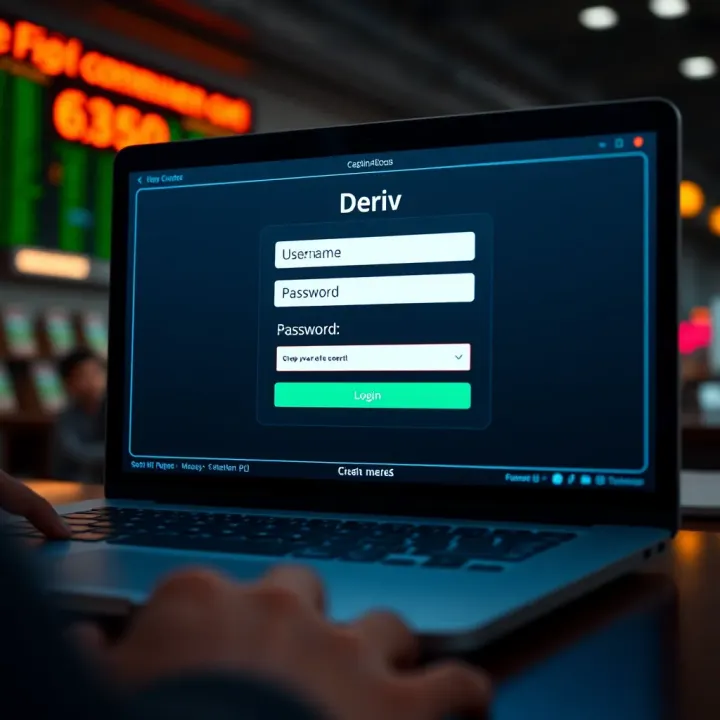
To get started, you’ll need your Deriv account credentials—username and password—which you created during registration. The login page is accessible via the Deriv main site, where you select the cashier option to enter your wallet and transaction details.
Make sure your internet connection is stable. South Africans often face intermittent loadshedding or network disruptions, so logging in during stable times helps avoid frustrating interruptions.
Forgotten Password: Use the 'Forgot Password' feature to reset via your registered email.
Multiple Device Logins: Deriv limits simultaneous sessions for security. Logging out from other devices first usually clears the issue.
Security Checks: Sometimes, additional verifications pop up to protect your account; have your registered mobile or email ready.
Remember, keeping your login information private and enabling two-factor authentication (2FA) can significantly reduce risks of unauthorised access.
Once inside the cashier portal, you can manage multiple payment methods including eWallets popular in South Africa, such as Skrill or Neteller, alongside local bank transfers. The platform allows you to check transaction history and initiate withdrawals with clear prompts.
By understanding the login process and prepping for local challenges, South African traders can navigate Deriv’s cashier functions with more confidence and less hassle.
Before you dive into trading or managing your funds, it's key to get a handle on the Deriv Cashier portal. This section is about setting the foundation — understanding what the cashier is, who needs it, and what you’ve got to do before you even try logging in. For South African users, this means a smoother experience managing deposits, withdrawals, and account details without hitting bumps along the way.
The Deriv Cashier portal is essentially your control hub for all financial transactions within the Deriv trading platform. Think of it as the online till where you can deposit money, withdraw your earnings, and keep track of your transaction history. It’s built to be user-friendly but packed with security features to safeguard your funds. For example, if you decide to buy shares or trade forex on Deriv, the cashier is the place you'll go to transfer your Rand into the trading account and back.
Any South African trader or investor actively using Deriv’s platform for trading will need to interact with the Cashier. Whether you’re a casual investor topping up your account to try your hand at forex, or a seasoned broker managing larger sums, the cashier portal is your gateway. Even those using demo accounts might eventually want to switch to live trading, and that’s when familiarity with the cashier becomes essential. Essentially, if you’re handling money on Deriv, you’ll be using this portal.
You can’t use the Deriv Cashier without having a registered account on the Deriv platform first. This registration requires providing basic personal information like your name, email, and contact details. The benefit here is straightforward: setting up an account gives you an identity within the system so you can safely manage your funds. For instance, a South African user will input their details and set a username that they’ll use to log in later.
South African regulations, aligned with international financial standards, require Deriv users to verify their identity before making transactions. This includes submitting documents such as a copy of your South African ID or passport and proof of address (like a recent utility bill). Verification helps prevent fraud and ensures your money is secure. Without completing this step, the system will limit your access, especially with withdrawals.
You can log into the Deriv Cashier from any device that supports modern browsers — computers, smartphones, or tablets. However, it’s best to use a device with updated software to avoid compatibility issues, especially with security features like two-factor authentication (2FA). For example, many South African traders prefer using their smartphones during their commute or while at a braai, so making sure your device works seamlessly with Deriv’s portal matters.
Getting these basics right makes sure you start on the right foot, without getting stuck on the login or verification hurdles later. It also protects your account and funds from common issues and delays.
By understanding these points, South African users can prepare properly for the login process and make the most of Deriv’s services.
Accessing your Deriv Cashier account securely is key to managing your trading and investment funds effectively. A clear, step-by-step guide helps you avoid common pitfalls, ensures you handle your information wisely, and gets you trading faster. This section breaks down each stage of logging in, focusing on the practical details South African users should watch out for.
Start by heading straight to the official Deriv website. For safety, always type the URL directly into your browser rather than using links from emails or messages, which can sometimes be spoofed in phishing attacks. Once there, look for the 'Cashier' or 'Login' button, usually at the top right corner. Loading the correct page is critical—fake login pages are a common tactic for capturing your details.

Safety tip: Bookmark the Deriv login page on your browser so you always access it directly.
Deriv allows login using either your registered email address or your chosen username. Many South African users prefer emails because they’re easier to remember, especially if you’re juggling multiple trading platforms. Just ensure the email or username you enter matches exactly what you used during registration.
It’s a good idea to double-check for extra spaces or typos. For example, a common mistake people make is leaving a trailing space, which the system will reject and frustrate you unnecessarily.
Password entry needs careful attention. Make sure you’re typing the password exactly as it was set, respecting capital letters and symbols. Using the password manager built into browsers like Chrome or Firefox can minimise errors and improve security.
Avoid logging in on public/shared devices. If you must, always ensure you log out completely. Remember, typing your password in a hurry or in a busy spot may lead to errors, so take your time.
Forgetting your password isn’t the end of the road. Use the 'Forgot Password' link on the login screen, enter your registered email, and follow the instructions sent to your inbox. Choose a new password that’s strong yet memorable — consider a phrase or combination that you won’t forget but would be tough for an outsider to guess.
Watch out for email delays or spam folder redirection, especially with South African email providers who may filter automated messages.
Repeated failed login attempts can lead to your account being locked temporarily. This protects against unauthorised access but can be a nuisance if you’re certain your details are right. In such cases, patience is your friend—wait for the lockout period to end, usually 30 minutes.
If time is tight, contacting Deriv’s support promptly via live chat can help expedite the unlock.
Deriv’s login portal works best on updated browsers like Google Chrome, Mozilla Firefox, or Microsoft Edge. Using outdated browsers may cause display issues or prevent login altogether.
Make sure you accept cookies for the site — these are needed to keep your session active and secure. If you’ve disabled cookies or use aggressive privacy settings, login issues may arise.
Clearing your browser cache occasionally also helps, especially if the page isn’t loading right or you encounter repeated error messages.
These steps will smooth the path for you to enter the Deriv Cashier with confidence, ready to manage your funds and trades.
The Deriv Cashier portal acts as your command centre for managing funds and account details efficiently. For South African users, understanding its features is essential to smoothly handle deposits, track transactions, and maintain up-to-date security settings. Navigating these tools confidently means less hassle when funding your trades or withdrawing profits.
Deriv supports a range of popular payment options familiar to South African traders, including major credit and debit cards like Visa and MasterCard. Beyond cards, local e-wallets such as Skrill and Neteller are available, along with electronic funds transfers (EFTs) that work seamlessly through South African banks. Furthermore, mobile payment services linked to South African providers are gaining traction, reflecting local user preferences.
Using methods that resonate with your daily financial routines ensures quicker transactions and better control over your cash flow. For example, EFTs are particularly convenient if you prefer direct transfers from your bank account without involving third-party platforms.
Processing times vary depending on the method chosen. Card deposits usually reflect instantly, allowing users to start trading immediately. EFTs may take up to 1–3 business days, depending on the bank's processing speed. Withdrawals generally follow a similar timeline but can experience slight delays for security reviews.
It's also important to be aware of transaction limits. Deriv sets minimum and maximum values for deposits and withdrawals that apply across payment methods. For instance, a minimum withdrawal may be R100 to keep transactions cost-effective. Knowing these limits helps you plan your trading capital without surprises or interruptions.
Within the Deriv Cashier, you can easily view your current account balance to keep tabs on your available funds at a glance. The site also provides a detailed transaction history, listing all deposits, withdrawals, and transfers chronologically. This record supports accurate budgeting and exposes any discrepancies quickly.
Monitoring your past transactions acts like a financial diary — it shows when your funds entered or exited the account and via which method. This transparency is crucial for traders managing multiple investments or reconciling financial records for tax or reporting purposes.
Keeping your profile and security information up to date on Deriv helps safeguard your account from unauthorised access and maintains compliance with regulatory standards. Here, you can change contact details such as email addresses and mobile numbers, which ensures notifications reach you without delay.
Security settings provide options like updating passwords or enabling two-factor authentication (2FA). These steps are vital in protecting your account from phishing or hacking attempts, which remain a concern in online trading.
Regularly revisiting your account details and adjusting security preferences is a good habit — especially if you suspect your login credentials could be compromised or after any significant personal changes like moving home or changing your phone number.
In short, the Deriv Cashier portal gives South African users the tools needed to manage funds safely and transparently, all while adapting to local payment options and security expectations. Knowing these features inside out will improve your trading experience and reduce any friction related to cash management.
Security should be top of mind for anyone using the Deriv Cashier portal. Protecting your account is not just about preventing financial loss but also about safeguarding your personal information. In South Africa, where cybercrime is on the rise, ensuring your online trading and investment platforms are secure can save you a lot of headaches. Practical steps will help you avoid common pitfalls, such as unauthorised withdrawals or identity theft, and give you peace of mind when managing your finances.
Two-factor authentication (2FA) adds an extra layer of defence by requiring more than just your password to access your account. After entering your username and password, you’ll be asked to provide a second verification code, often sent to your mobile via SMS or generated by an authenticator app like Google Authenticator. This means that even if someone cracks your password, they’ll struggle to get into your account without that second factor. For South African users, where SIM-swap fraud is a concern, it’s wise to use an app-generated code rather than SMS when possible. Activating 2FA on your Deriv Cashier account is a simple, yet effective, way to keep your funds and personal details secure.
Phishing scams try to trick you into handing over your login details or financial information by pretending to be trustworthy entities like Deriv support. A common sign is receiving emails or messages that urge you to "reset your password immediately" or "verify your account" with a suspicious link. Always verify the sender’s email address and look out for poor spelling or strange phrasing—these are dead giveaways. Rather than clicking links in emails, go straight to the Deriv website you trust by typing the URL yourself or using your saved bookmarks. Also, avoid downloading attachments from unknown sources. Remember, Deriv support will never ask for your password via email or chat.
Your password is the frontline of your account’s security. Keep it strong, unique, and change it regularly. Avoid obvious passwords like "password123" or your birthday; instead, combine letters, numbers, and symbols — for example, "Mf@2024!". Use a reputable password manager if you find it tough to remember complex passwords; many South African banks and tech companies recommend this approach. Don’t share your passwords with anyone, and be especially cautious if using public Wi-Fi or shared devices to access your Deriv Cashier account. Logging out after every session can also prevent unauthorised access.
A secure Deriv Cashier account means safer transactions, less stress, and the freedom to focus on your financial goals without worrying about cyber threats.
Taking these security steps seriously is not just a tech matter — it’s a practical safeguard for your livelihood, particularly given how online trading forms a growing part of South African financial activity. Keep your account details close and your security measures tight.
Dealing with login or account troubles on the Deriv Cashier portal can disrupt your trading or financial activities. Knowing where to get prompt and reliable help saves time and reduces frustration. This section highlights the practical avenues South African users can tap into when their accounts misbehave or when they face obstacles accessing services.
Deriv offers live chat support that connects you directly with a customer service agent in real time. This option comes in handy when you need immediate assistance, such as when you’re locked out of your account or unsure about transaction statuses. The live chat feature is accessible 24/7, ensuring that South African users can get help regardless of time differences or after-hours issues.
The chat interface typically appears on the Deriv website and the cashier portal. It’s advisable to have your account details ready to speed up the resolution process. For example, if you experience trouble verifying your identity documents, a live chat agent can guide you through the correct steps or rectify system errors promptly.
For less urgent queries or when you need to provide detailed documentation, email support is a solid choice. It allows you to explain your issue clearly and attach necessary files, such as proof of ID or screenshots of errors you encounter. Deriv usually responds within a few hours to one business day, which suits users who have non-critical concerns.
Meanwhile, phone support is ideal if you prefer speaking directly to a representative or have complex issues needing extensive explanation. South African clients should check whether regional phone numbers are available to avoid high call costs. Having your account information handy during the call is essential to verify your identity quickly and get personalised help.
Before contacting support, many users find it useful to consult the online resources and frequently asked questions (FAQs) pages on the Deriv website. These sections cover standard topics such as resetting passwords, verifying accounts, or payment process details tailored for South African users. Accessing FAQs can often resolve straightforward issues without waiting for a support agent, making it a practical first step.
Deriv also benefits from an engaged community of traders and investors who share tips, troubleshoot common problems, and discuss updates. Online forums and social media groups dedicated to trading platforms can offer insights from experienced users that official support might not provide immediately.
For instance, South African traders may find local forums where peers discuss payment methods compatible with their banks or share advice on navigating load-shedding interruptions affecting connectivity during trading hours. Joining such communities broadens your support network beyond the official channels.
Getting help efficiently requires knowing the right channels and being prepared with key information like account details. Whether through direct contact with Deriv support or engaging with user communities, South African users have practical options at hand to keep their trading activities running smoothly.
Ready to trade with Deriv? 🇿🇦 This guide shows South Africans how to register, verify ID, fund your account, and stay safe while trading online. 💻💰
🔐 Step-by-step guide for South African traders to login to Quotex: create accounts, fix login issues, secure profiles, and enhance trading success. 📈
Wondering how long Deriv withdrawals take in South Africa? ⏳ Learn about processing times, local payment methods, common delays, and tips for faster payouts.

🔐 Master IQ Option log in with step-by-step guidance tailored for South African traders. Learn to set up, troubleshoot, secure your account, and switch between mobile & desktop easily.
Based on 13 reviews